A gaming space can be a desk beside a window, a console corner in a shared room or a dedicated place to play with friends. These real setups offer different ways to arrange screens, seating and collections without assuming that every household wants a dark room filled with colored lights.
Start with the equipment you actually use and the space your chair, cables and doors need. Borrow a layout or color combination rather than treating the photographs as shopping lists. The best-looking arrangement still needs accessible sockets, clear ventilation and a surface you can comfortably clean.
PART 01
Make console play part of the room
IDEA 01 / 18
Use a Media Wall to Contain the Equipment
 SaveSupport Non AI Creator
Image credit: Project: CAV Integrated Home (via Houzz)
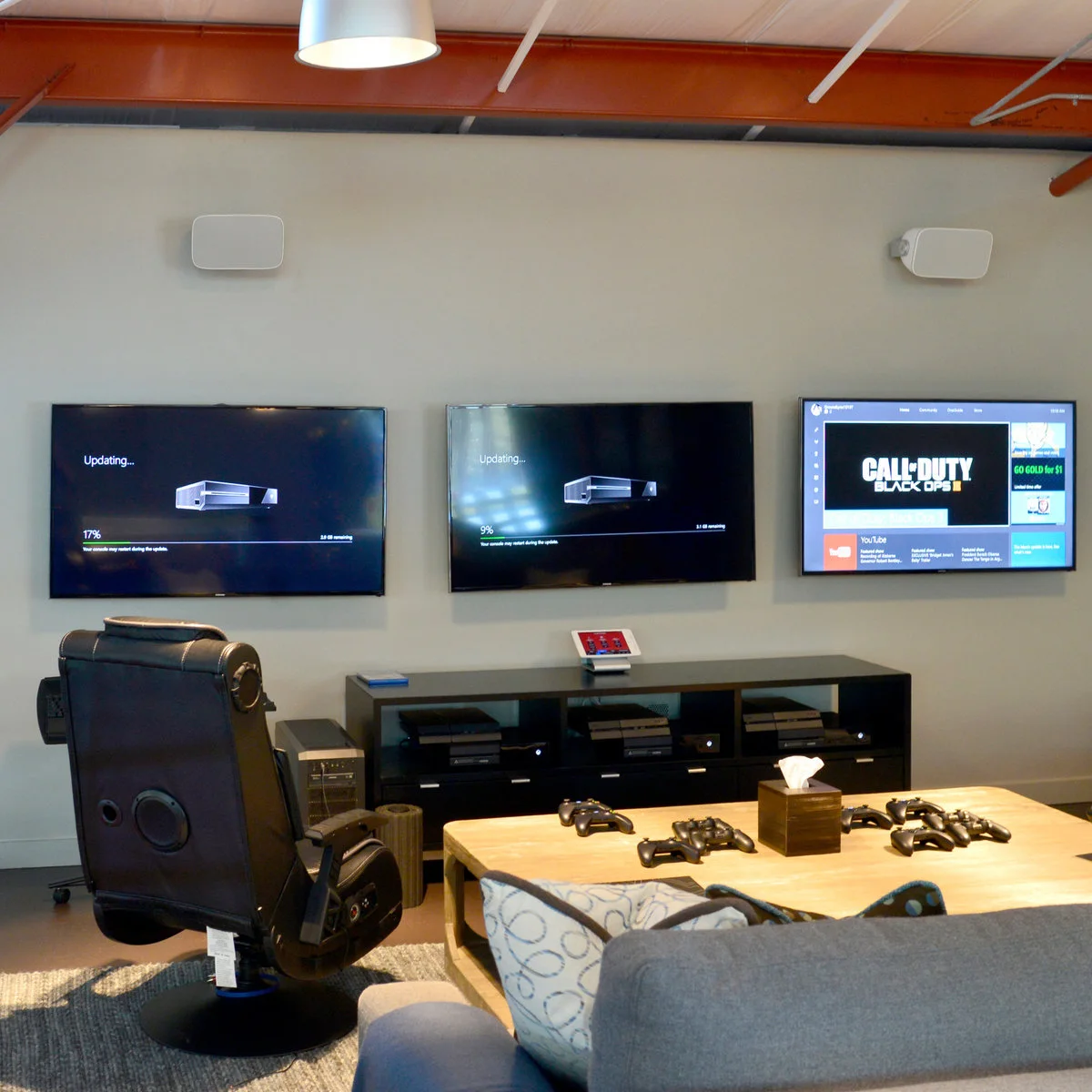
Three screens span one plain wall above a long black console. The low table keeps several controllers within reach of the sofa and gaming chair, while the cabinet collects the consoles beneath the displays. Keeping the equipment together gives this shared room one clear place for play.
Plan this around the screens you need rather than adding displays to fill the wall. Check support and cable routes before mounting anything, and leave access to connections. Keep the central cabinet usable for controllers and games, with ventilation openings unobstructed instead of treating every compartment as a decorative shelf. If the screen shares a wall with a fire, these fireplace TV wall ideas discuss placement alongside the need to check the actual appliance requirements. When the same room also needs a desk, these living room office combo ideas help separate equipment space from the main seating route.
IDEA 02 / 18
Give Each Player a Clearly Defined Seat
 SaveSupport Non AI Creator
Image credit: Project: Soucie Horner, Ltd. (via Houzz)
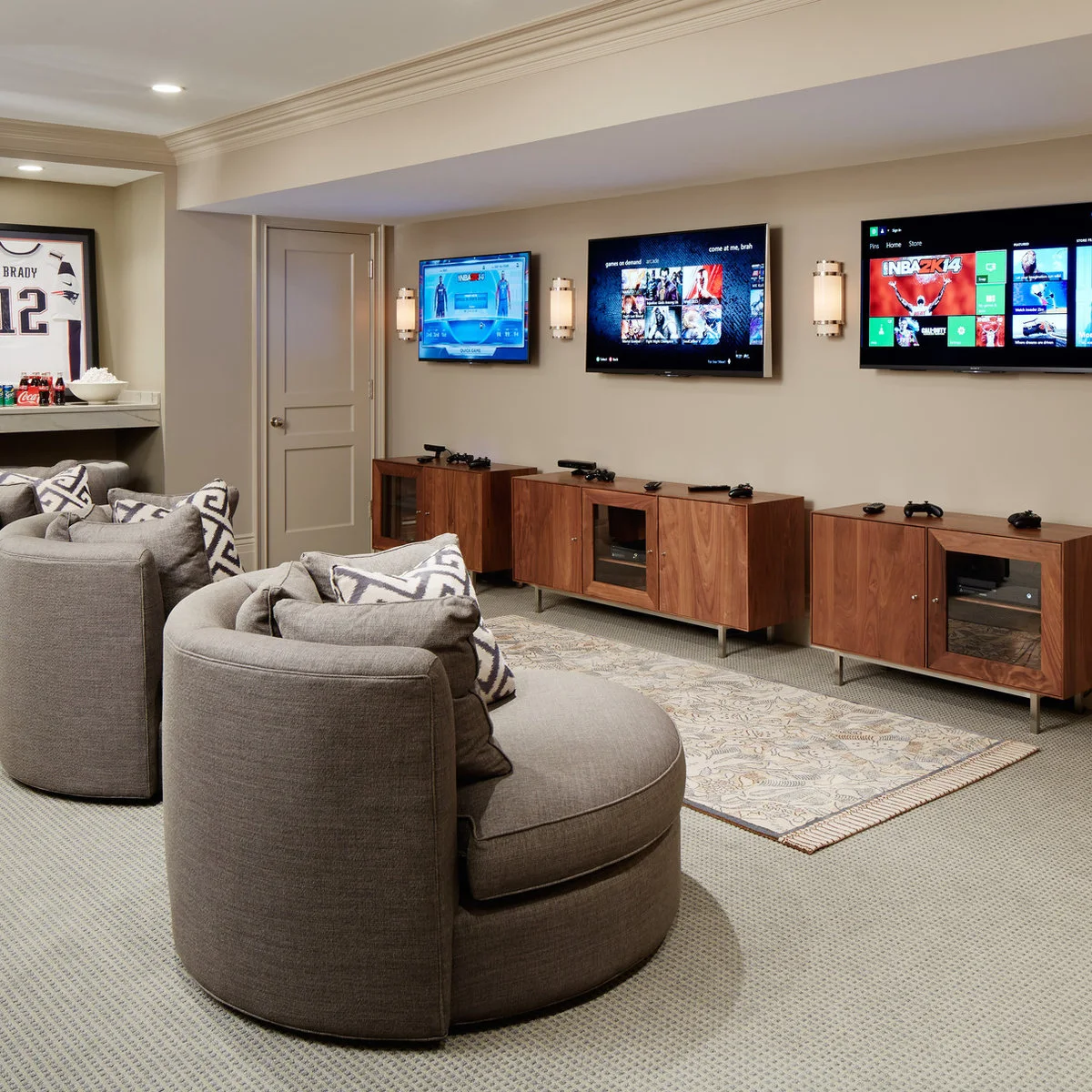
Three rounded gray chairs repeat across the room, each facing a separate screen. A continuous wood cabinet keeps the wall visually connected, while the dark paint makes the bright displays the main focal points. The arrangement is built around several people playing in the same space.
Try the seating positions before deciding on screen heights and spacing. Leave room to walk behind or between occupied chairs, and think about competing sound from different games. A shared cabinet can simplify storage, but label or separate accessories so each player can put equipment away without disturbing another setup.
IDEA 03 / 18
Let the Console Corner Share the Living Room
 SaveSupport Non AI Creator
Image credit: Project: Robeson Design (via Houzz)
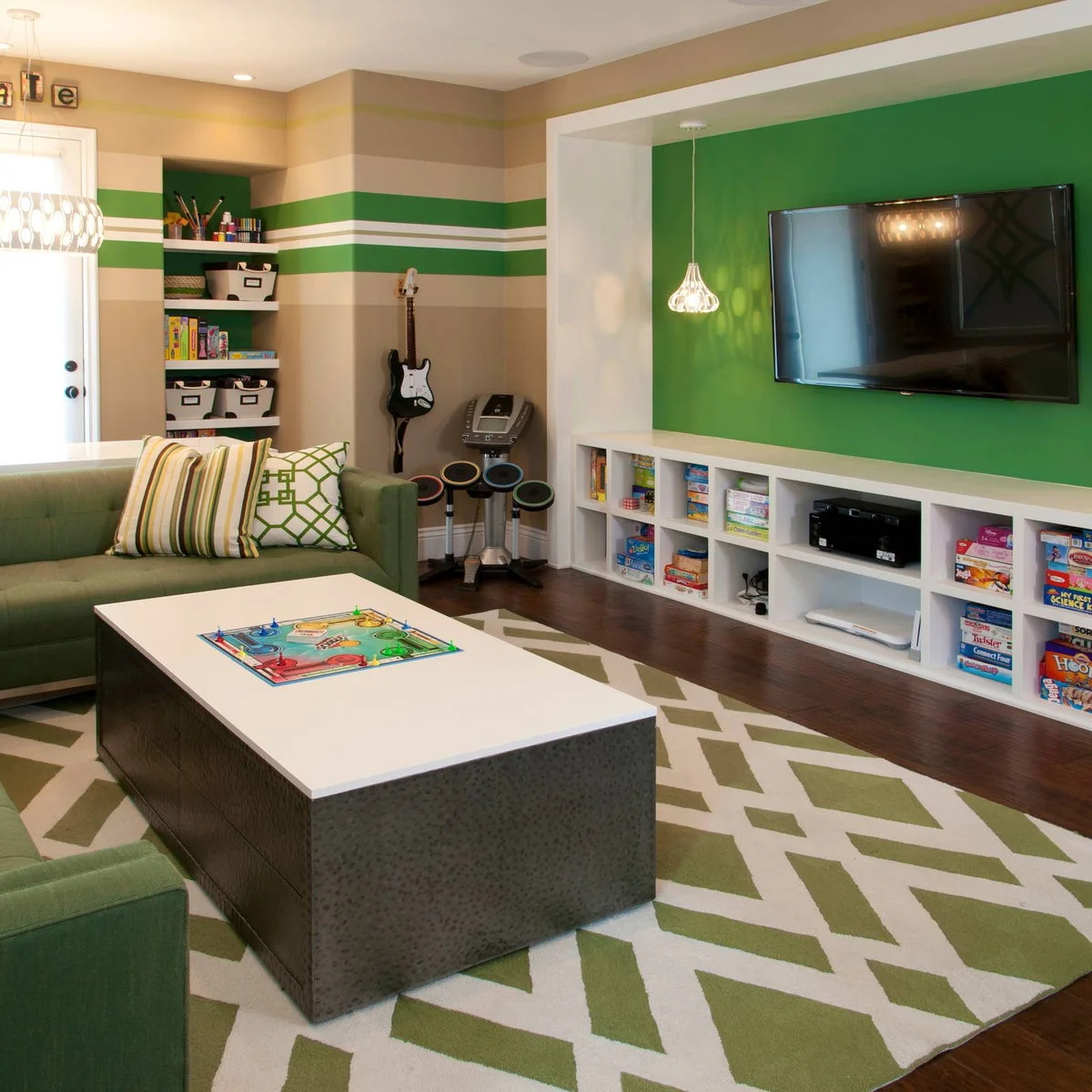
Green walls and a large sectional make this feel like a living room first. The television and white cubbies provide a place for media equipment, while the low coffee table is being used for a board game. The same seating can support different kinds of play.
These small living room decor examples offer more ways to arrange shared seating and storage. Keep controllers in one accessible compartment and leave enough table space for drinks or tabletop games. Choose storage that makes sense with the screens turned off, especially when this is also the household’s main room for conversation.
IDEA 04 / 18
Use Flexible Floor Seating for Console Play
 SaveSupport Non AI Creator
Image credit: Project: Stuart Nordin Design (via Houzz)
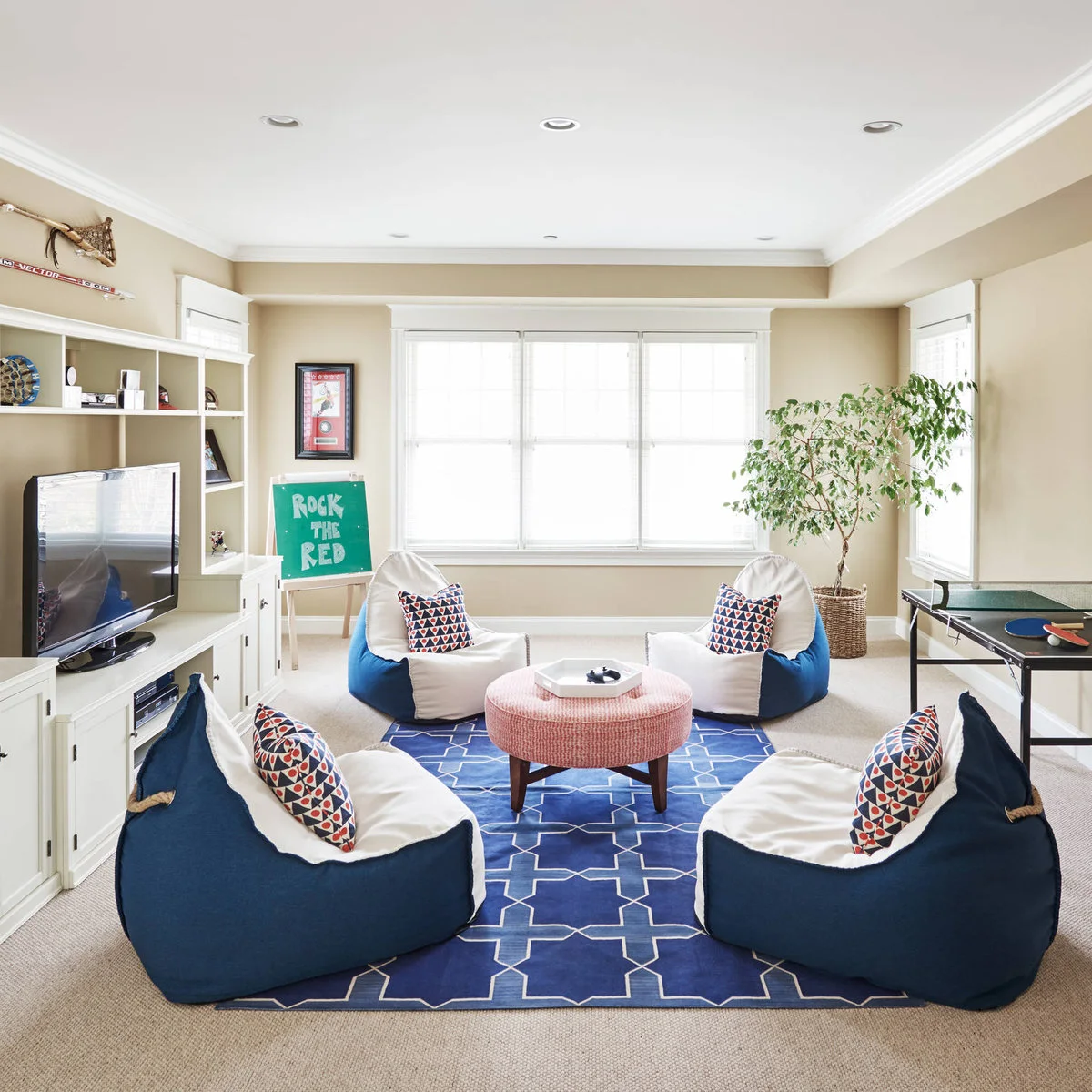
Blue floor seats face the television without filling the room with a fixed row of large chairs. White cabinets run beneath the screen, and the controller tray gives small accessories an obvious home. The striped wall and repeated blue tones bring the pieces into one arrangement.
Choose seats that people can comfortably get into and out of, and provide a more supportive alternative where needed. Flexible seating is useful only if there is somewhere to move it. Keep charging leads away from the floor route and check that the low cabinet leaves enough airflow around the equipment inside.
PART 02
Give the desk a clear arrangement
IDEA 05 / 18
Fit a Console Below a Lofted Sleeping Area
 SaveSupport Non AI Creator
Source: www.houzz.com
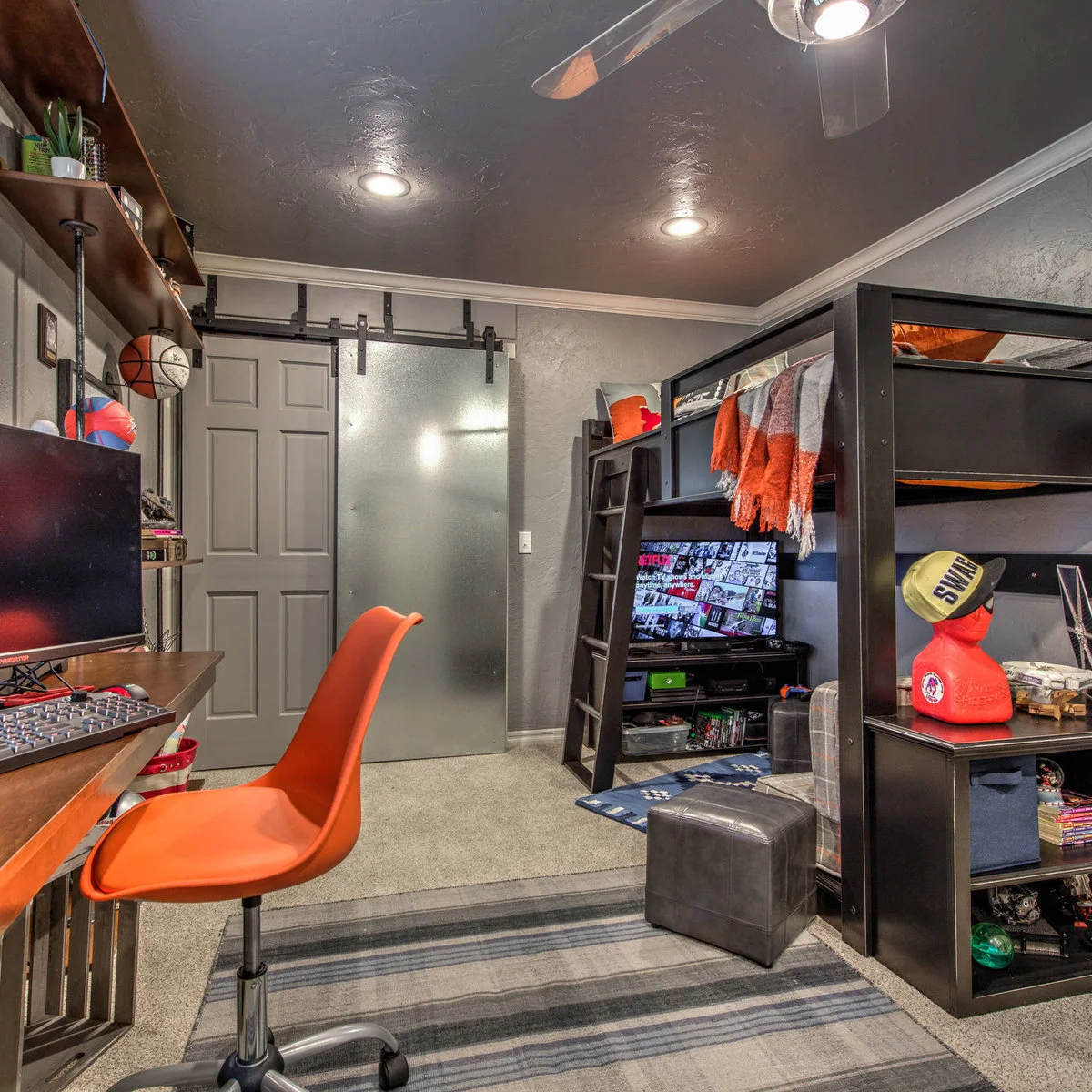
The television and game storage occupy the lower part of this compact room, with the sleeping platform above. An orange chair gives the gaming corner its own color accent. Shelves keep games visible without requiring a separate entertainment cabinet across the limited floor space.
A raised bed needs to suit its user and meet its own assembly and safety requirements; it is not simply another shelf. Keep the access route clear and avoid trailing controller leads beneath it. Before copying the arrangement, check screen visibility from the actual chair and leave enough space for the chair to move.
IDEA 06 / 18
Give a Bedroom Setup a Distinct Visual Corner
 SaveSupport Non AI Creator
Image credit: Project: Putragraphy (via Houzz)
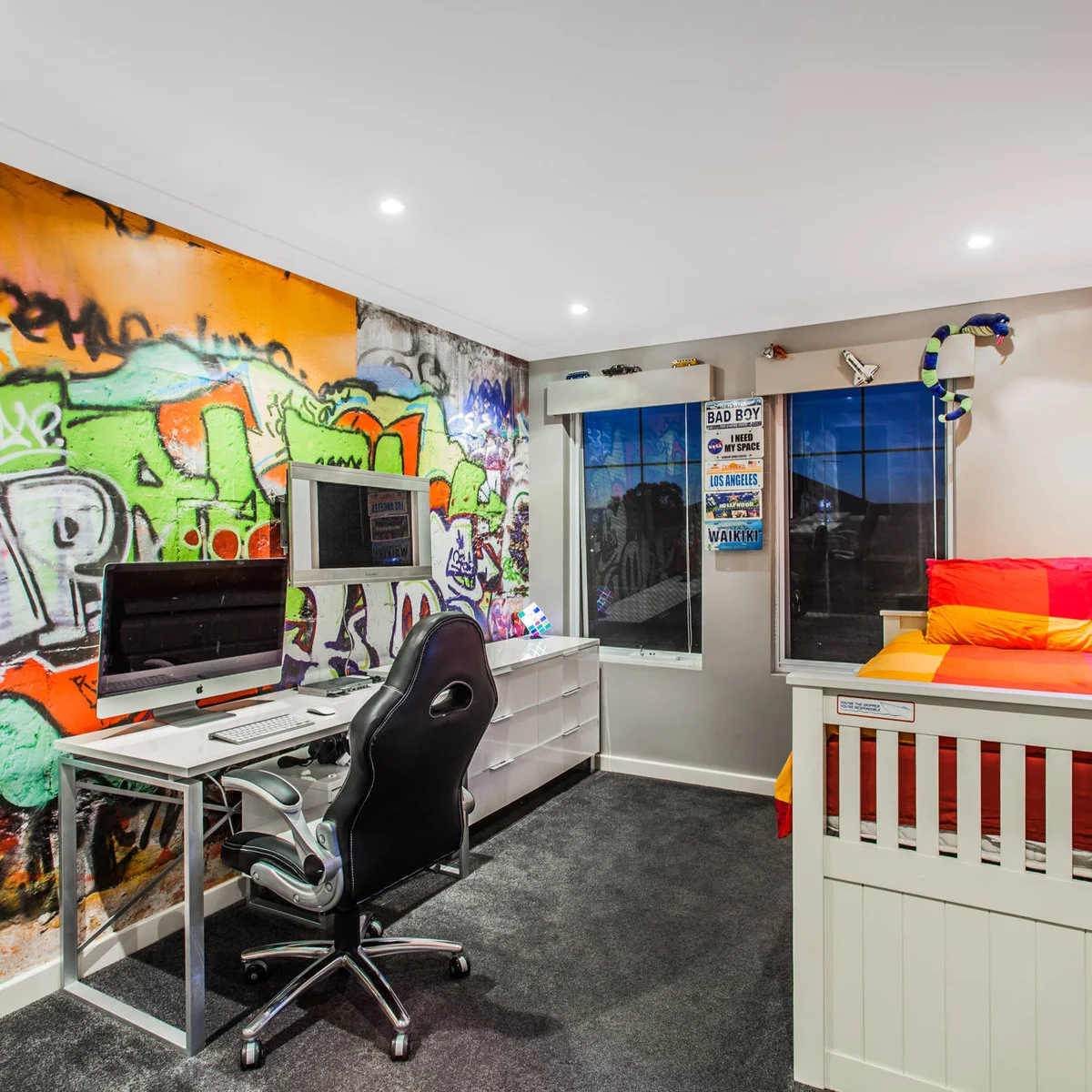
Colorful wall art marks the desk area beside the bed, while the black chair and dark screen frames keep the furniture visually related. The separate television provides another viewing position. The room combines sleeping and screen-based activities rather than reserving a whole room for gaming.
Keep the bed’s approach and the chair’s movement area separate when planning a similar corner. Adjustable lighting is useful where one person may rest while another uses the desk. Put the most detailed artwork where it does not compete with a screen you need to read, and give loose accessories a place off the bedding.
IDEA 07 / 18
Use a Curved Desk Edge to Open Up the Seat
 SaveSupport Non AI Creator
Image credit: Future
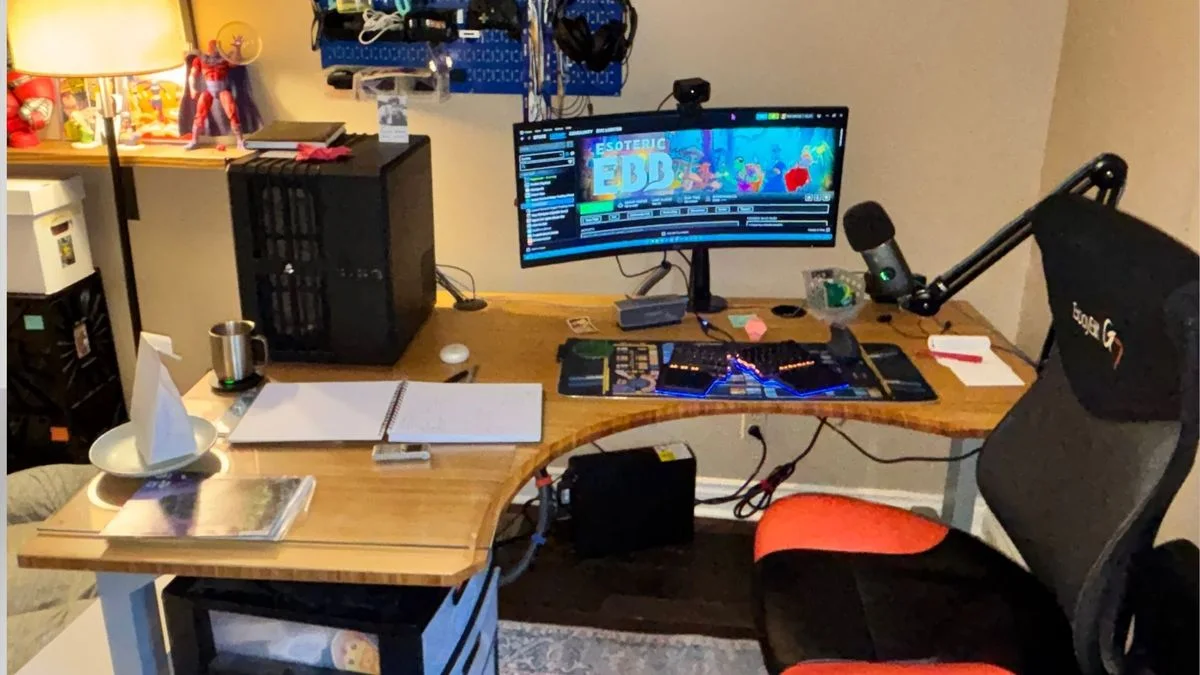
The desk curves inward at the seat, bringing the keyboard and microphone within the same working area. A single monitor leaves space for an open notebook at the side. The tower occupies the left end, with the microphone arm clamped to the opposite edge.
Check that a shaped desktop still provides enough depth for your screen and hands. Route the visible leads so they do not catch the chair, and test the microphone arm’s full movement before placing objects nearby. A single display can leave useful space for writing without making the setup feel unfinished.
IDEA 08 / 18
Repeat One Accent Color Across Small Accessories
 SaveSupport Non AI Creator
Image credit: Future
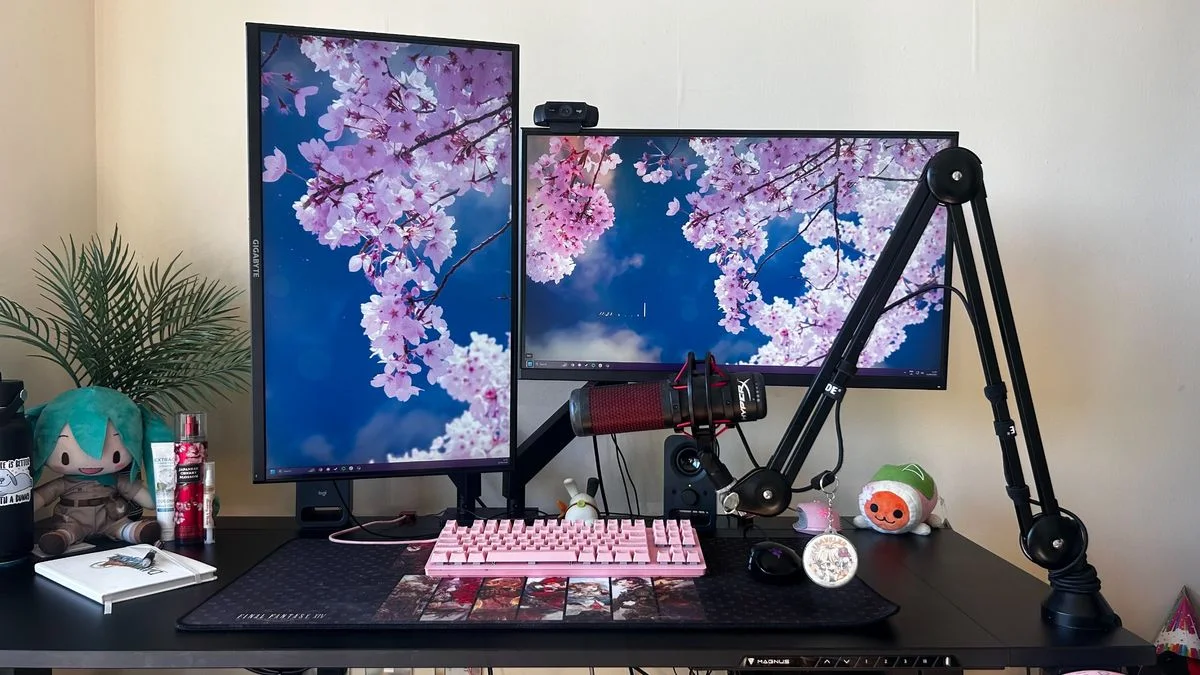
Pink blossoms across the two displays echo the pink keyboard and small accessories. The black desk and monitor frames provide a quiet base, while the portrait screen adds height without another wide panel. The character toys sit around the edges rather than across the keyboard area.
A small group of accessories can establish a color scheme without replacing the main furniture. Leave enough mouse space and make sure the microphone arm does not cover the screen at your normal sitting position. Keep plants and liquids far enough from connections that everyday watering or a knocked bottle will not reach the equipment.
IDEA 09 / 18
Control Window Glare Before Adding More Lights
 SaveSupport Non AI Creator
Image credit: Future
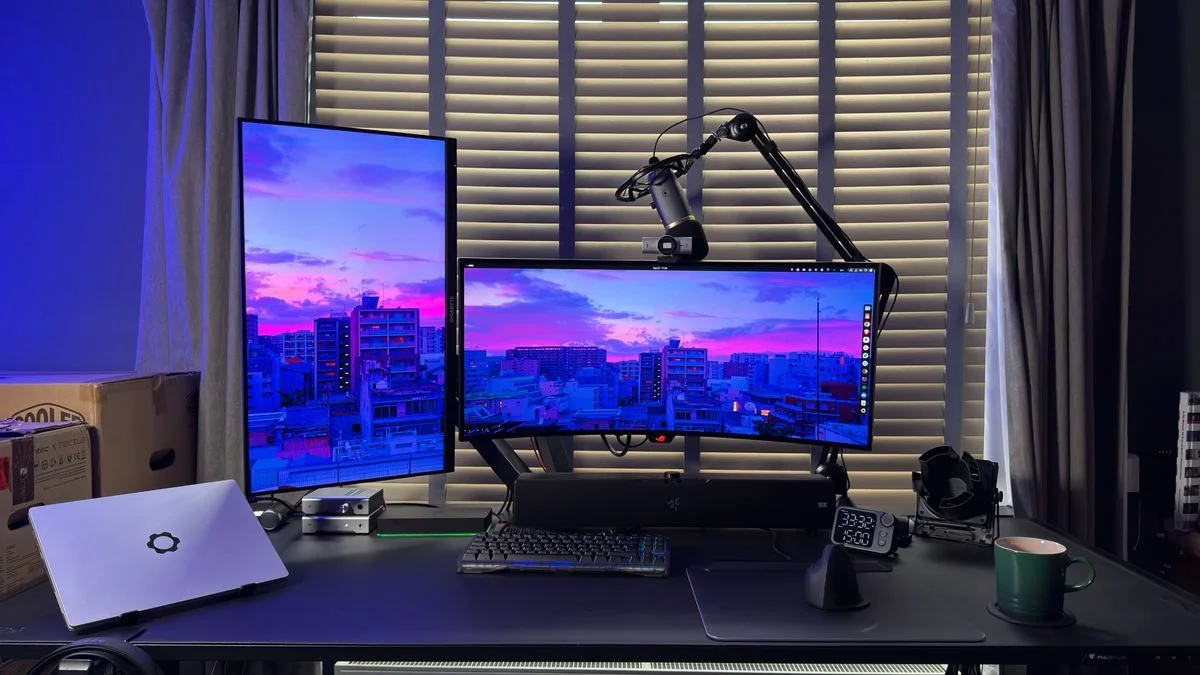
Shutters sit directly behind the two screens, with curtains at either side. The main display is wide and the secondary one is vertical, leaving a clear center for the keyboard. Blue-purple light adds atmosphere, while the window coverings remain an important part of the arrangement.
Test the room at the times you actually play. Window coverings can help manage changing daylight, but their position should still allow comfortable ventilation and access. Keep accent lighting adjustable, and check reflections on a dark screen before fixing any light strips or bright lamps permanently around the desk.
PART 03
Work with light and surrounding surfaces
IDEA 10 / 18
Use One Desk for Gaming and Other Work
 SaveSupport Non AI Creator
Image credit: Future
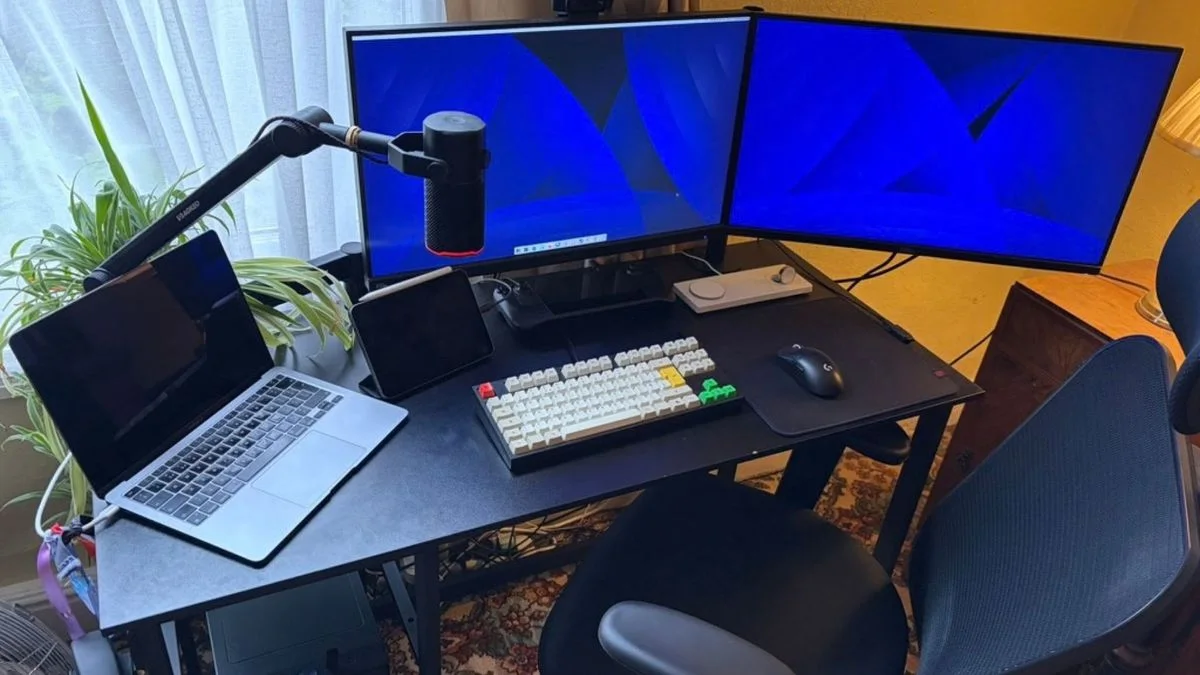
Two monitors stand across the back of the black desk, with a laptop at the left and a small keyboard in the center. The microphone arm reaches in from the side instead of occupying a large base on the desktop. Daylight and a plant soften the otherwise equipment-focused corner.
These living room office ideas explore other ways to combine a desk with daily household use. Keep the items needed for both activities within reach and store occasional accessories elsewhere. Check where the laptop will go during play so it does not reduce the mouse area or force the chair away from the main screen.
IDEA 11 / 18
Use a Backboard to Organize the Wall Behind Screens
 SaveSupport Non AI Creator
Image credit: Future
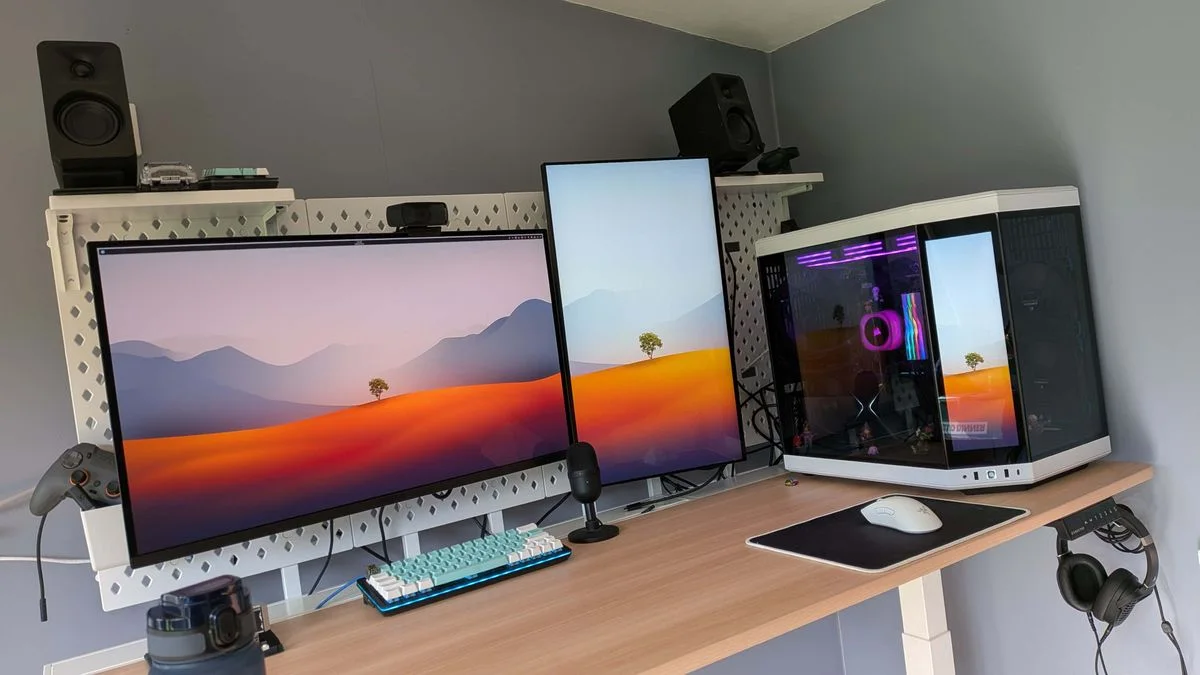
A white perforated panel gives the screens a defined backdrop against the gray walls. The pale desktop and white tower keep the setup visually light, while the turquoise keyboard adds a small color change. Speakers occupy a higher shelf, leaving the main surface relatively open.
Check the panel and shelf fixing requirements before hanging accessories or equipment. Keep anything heavy supported appropriately and leave space to reach cables behind the screens. A backboard can gather small items, but adding too many hooks and shelves will make cleaning and changing the setup more difficult.
IDEA 12 / 18
Keep a Collection Beside the Screen
 SaveSupport Non AI Creator
Image credit: Future
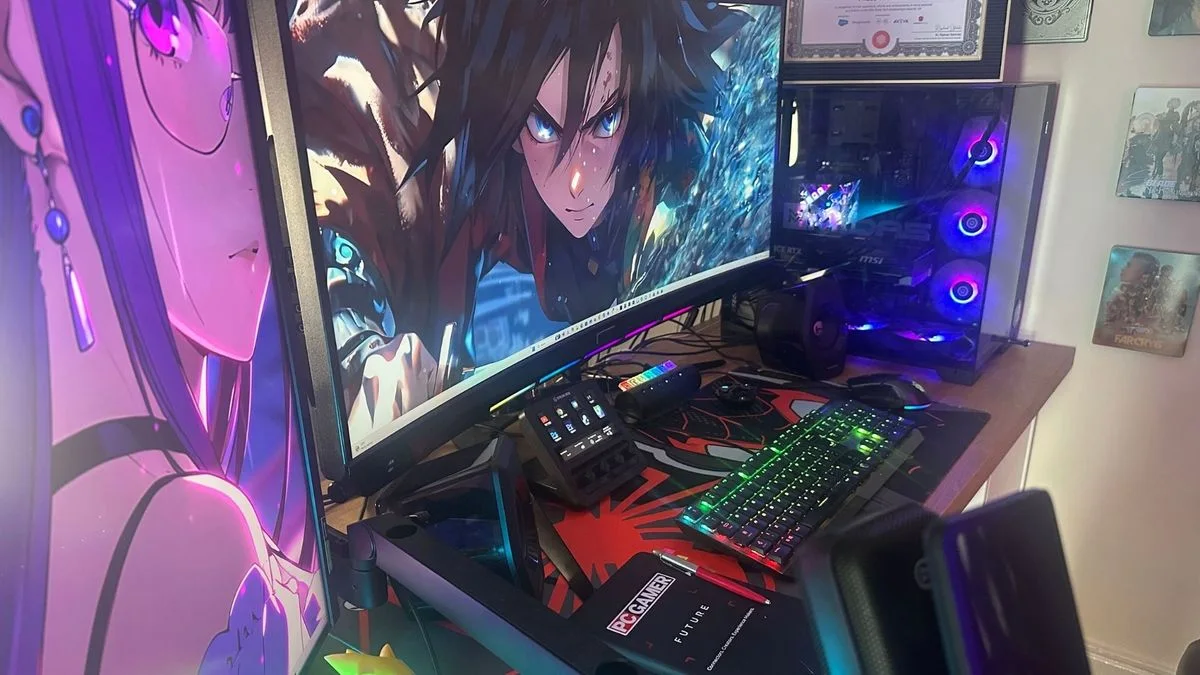
The monitors and illuminated tower form the main equipment group, while framed pieces continue the display onto the wall. Color is concentrated in the screens and keyboard rather than every surface. The angled view shows how little spare depth remains once the large display is in place.
Measure the usable desktop after accounting for the monitor and tower, especially if you use a large mouse movement area. Hang favorite artwork where it can be enjoyed without covering cables or ventilation. A few framed pieces can make the corner personal without balancing loose collectibles on equipment.
IDEA 13 / 18
Pair Familiar Wood Furniture with Gaming Equipment
 SaveSupport Non AI Creator
Image credit: Future
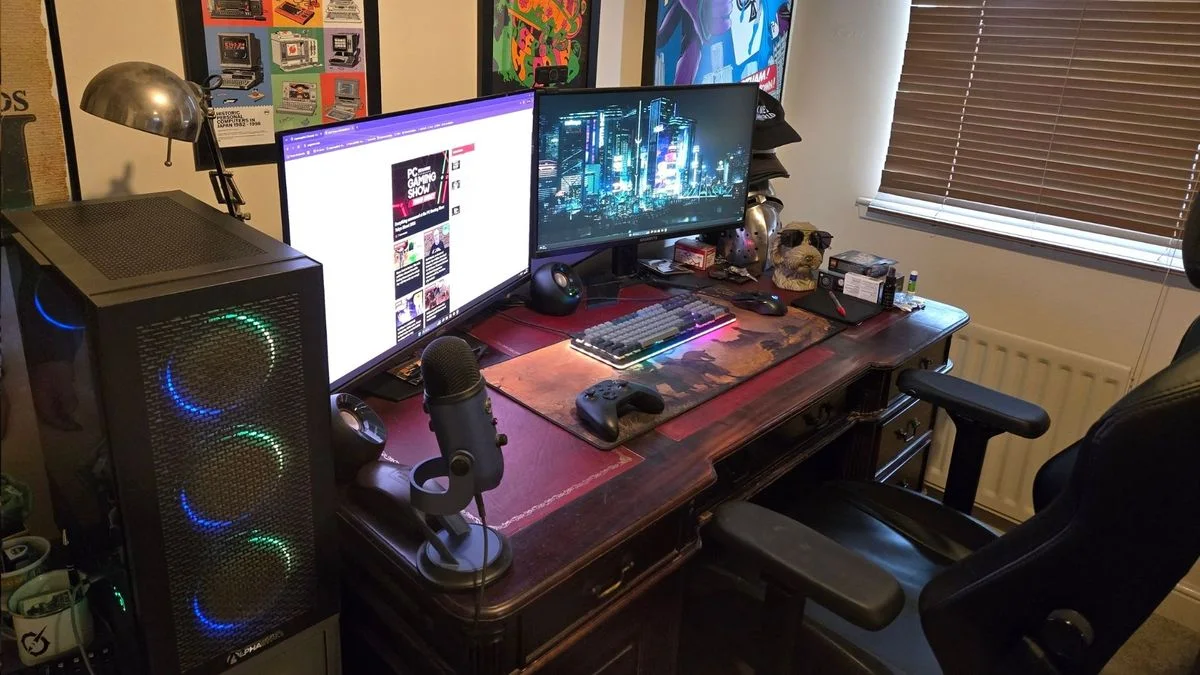
The substantial wood desk gives the gaming equipment a warmer setting than a completely black furniture scheme. Posters and a curved metal desk lamp add a collected feel around the screens. The controller and keyboard remain on a broad desk mat in the middle.
Check the desk’s stability, usable depth and any limits on clamping monitor arms before adapting older furniture. Keep drawers accessible when the chair is in place, and leave a clear route to nearby heating. Use the desk mat to define the active area rather than covering the whole surface with equipment and ornaments.
PART 04
Make room for your own interests
IDEA 14 / 18
Make a Shared Hobby Desk Easier to Reset
 SaveSupport Non AI Creator
Image credit: Future
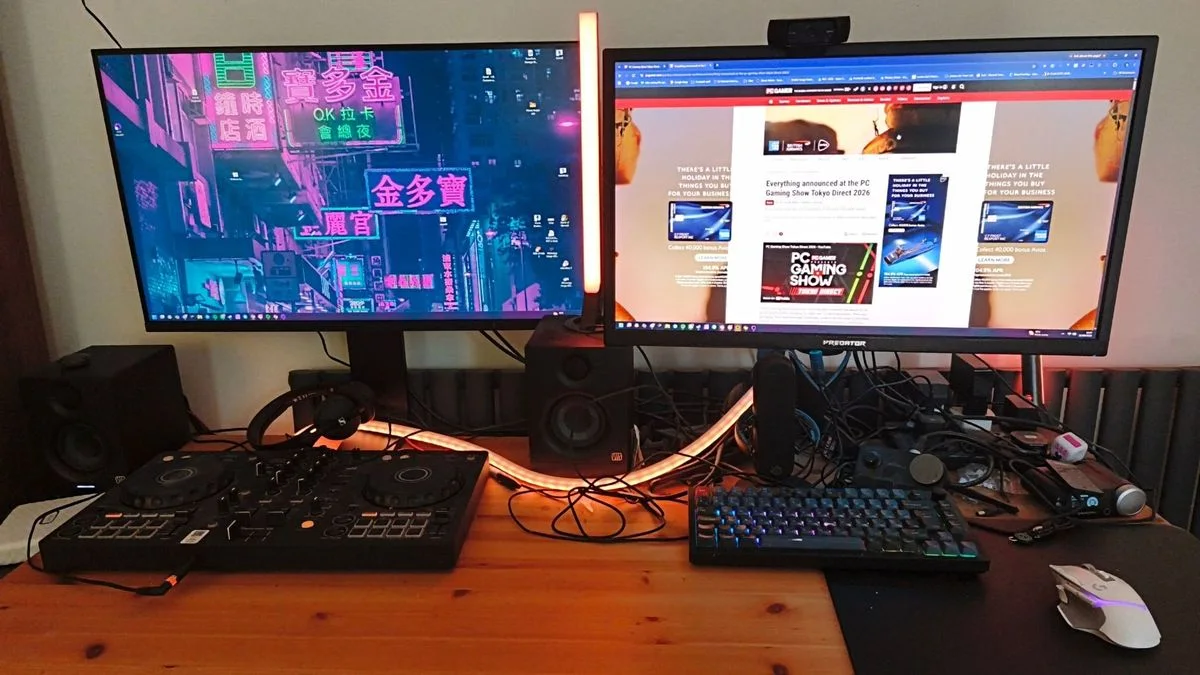
The two screens serve a desktop shared with a DJ controller and several audio devices. This is a useful example of how multiple hobbies can compete for the same surface. Warm lighting connects the equipment visually, but the exposed cable group shows where organization would make daily use easier.
Give each activity a clear parking position and move occasional equipment off the desk when it is not needed. Secure suitable cable runs away from the working area while preserving access to plugs and controls. Avoid copying the crowded wiring: the goal is to keep both hobbies usable without having to untangle the desk each time.
IDEA 15 / 18
Let the Computer Lighting Be the Main Color Accent
 SaveSupport Non AI Creator
Image credit: Future
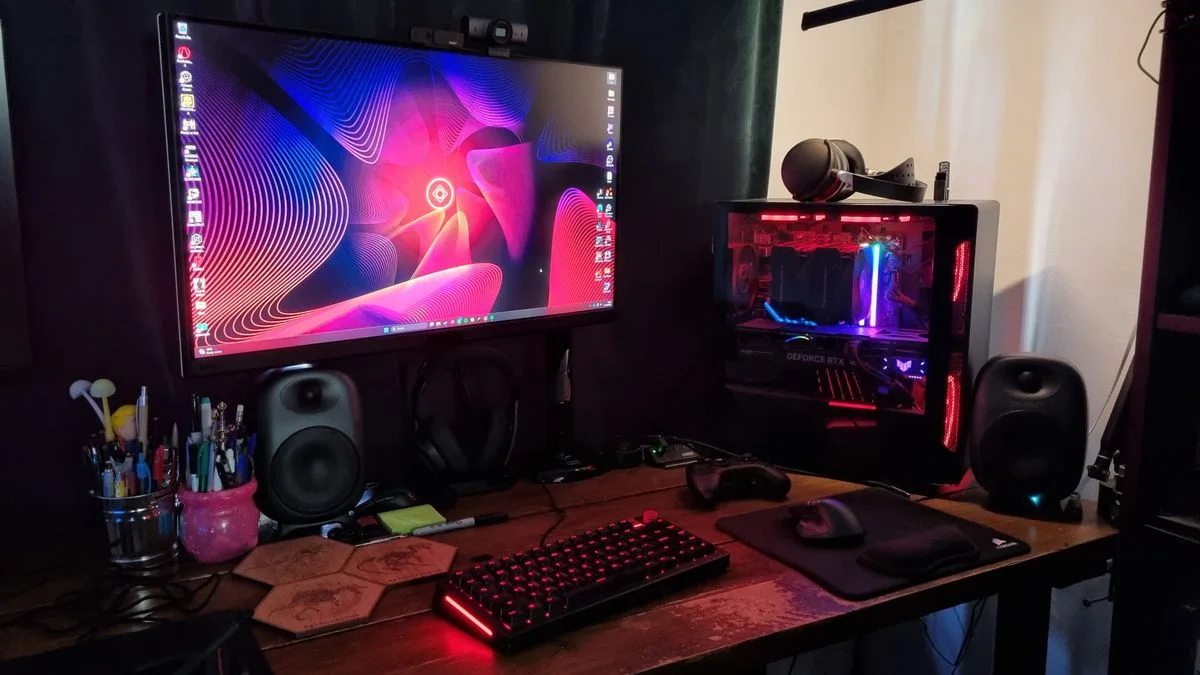
Red light inside the tower and beneath the keyboard supplies most of the color in this compact setup. The wood surface and dark curtains keep the surrounding room quieter. One main monitor leaves room for speakers, a mouse mat and a few everyday desk items.
Try reducing the number of competing light sources before adding more. Keep the keyboard markings readable and leave room lighting available for finding equipment and cleaning. Put headphones on a separate suitable support rather than blocking a case vent, and give small stationery items a container that stays outside the mouse area.
IDEA 16 / 18
Choose a Desk Mat That Connects the Palette
 SaveSupport Non AI Creator
Image credit: Future
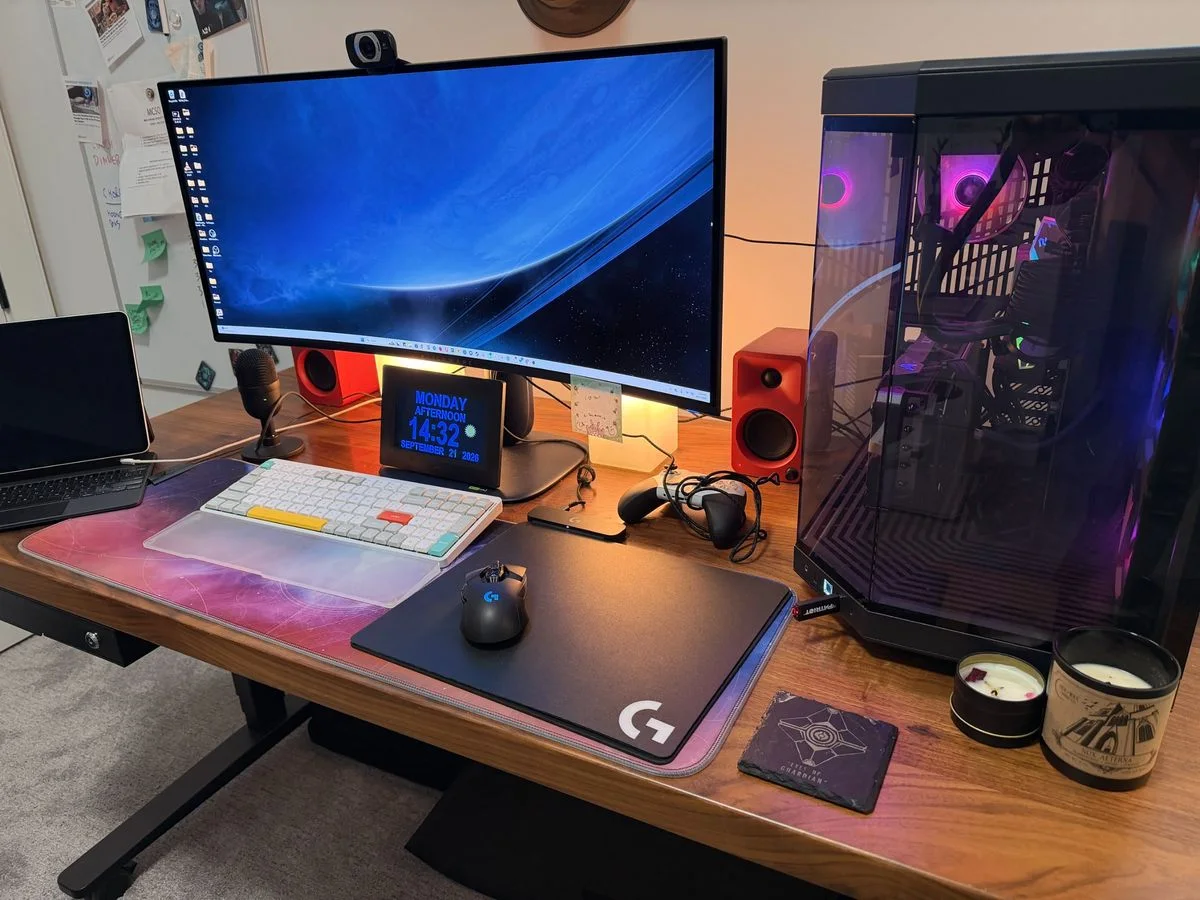
The large mat brings pink and blue into the middle of the wood desktop, with red speakers adding a stronger accent at the back. A white keyboard stands out against the darker mouse area. The single screen keeps the arrangement straightforward despite the number of devices nearby.
Choose a mat large enough for your normal hand movements, and check how easily it can be cleaned. Keep drinks and decorative candles away from electronics; the photograph’s small containers should not dictate where you use an open flame. Leave access around the tower rather than letting matching accessories fill every remaining gap.
IDEA 17 / 18
Edit a Collectibles Shelf Around the Working Area
 SaveSupport Non AI Creator
Image credit: Future
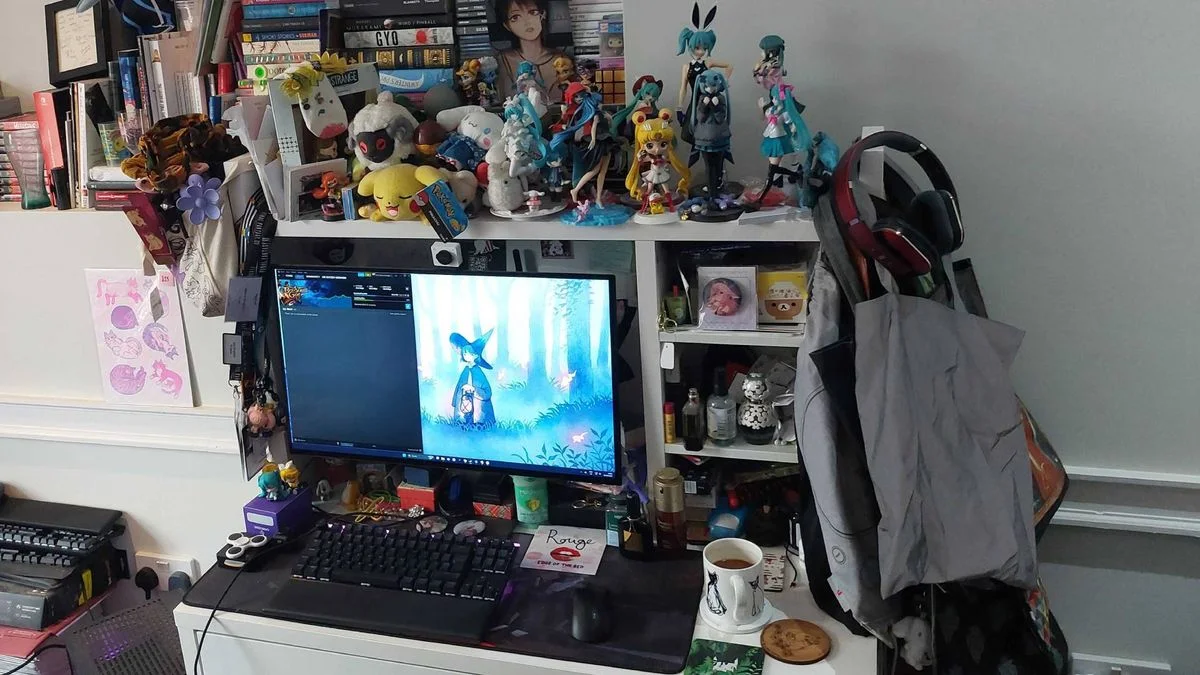
The white hutch carries a large collection of figures and books above and beside the monitor. The black keyboard defines the active area underneath. This shows how a hobby collection can become part of a small setup, while also making the limits of the available surface clear.
Choose a smaller display group if dusting and reaching the screen become awkward. Secure shelving appropriately and keep heavy objects away from unsupported edges. Store coats and loose bags elsewhere so they cannot snag headphones or leads, and keep drinks outside the keyboard area instead of copying the crowded lower shelf.
IDEA 18 / 18
Keep Headphones and Controllers in a Repeatable Place
 SaveSupport Non AI Creator
Image credit: Future
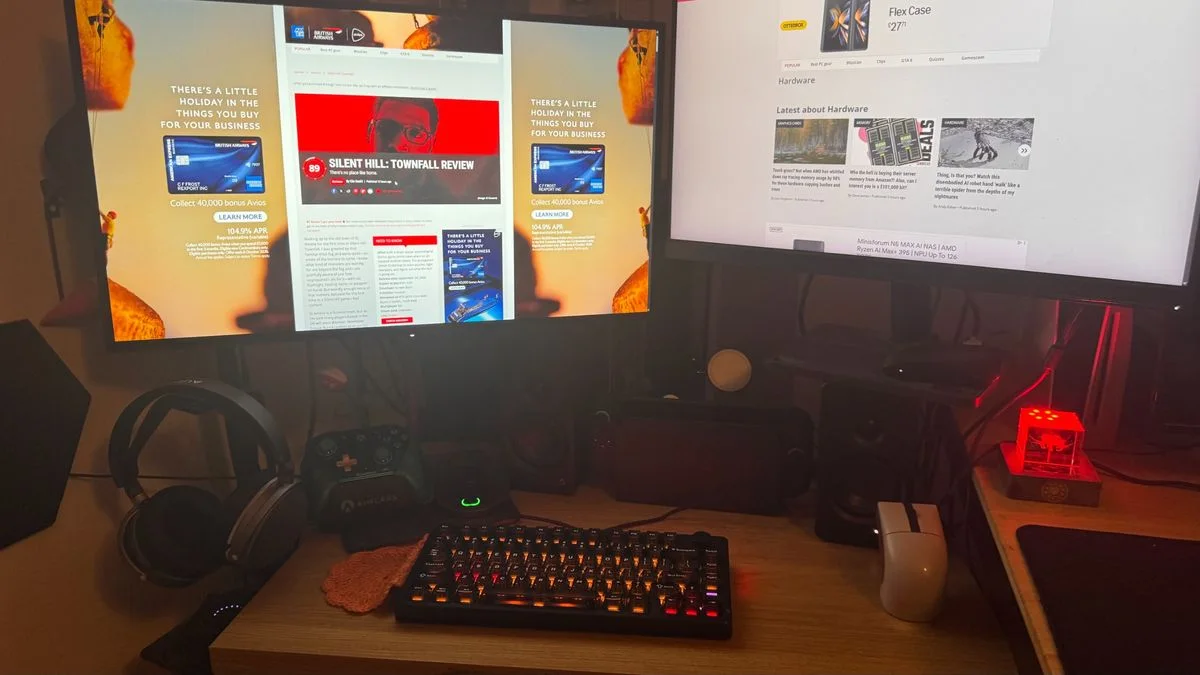
A separate headphone stand and a pair of controllers give the accessories recognizable positions below the screens. The compact keyboard leaves space on either side of the central area. Red accent light supplies a background glow without requiring the desk itself to be a bright color.
Set storage positions around how often each accessory is used and where its charging lead can safely reach. Keep the mouse area clear and avoid putting a stand where your forearm will knock it. A repeatable place for each item makes it easier to reset the desk after play and notice when something is missing.
BRING IT ALL TOGETHER
Plan the everyday movements first
Set out the chair, main screen and controls before buying decorative shelving or lighting. Make sure you can sit down, get up and reach the equipment without stepping over wires. A desk shared with work or study may benefit more from a movable microphone and a clear surface than another display screen.
Keep a small group of favorite objects where you can see them, and give controllers and headphones a repeatable storage place. Check equipment ventilation and mounting requirements with its manufacturer. Finish by viewing the room with the screens off: the furniture, lighting and storage should still work as part of your home.